
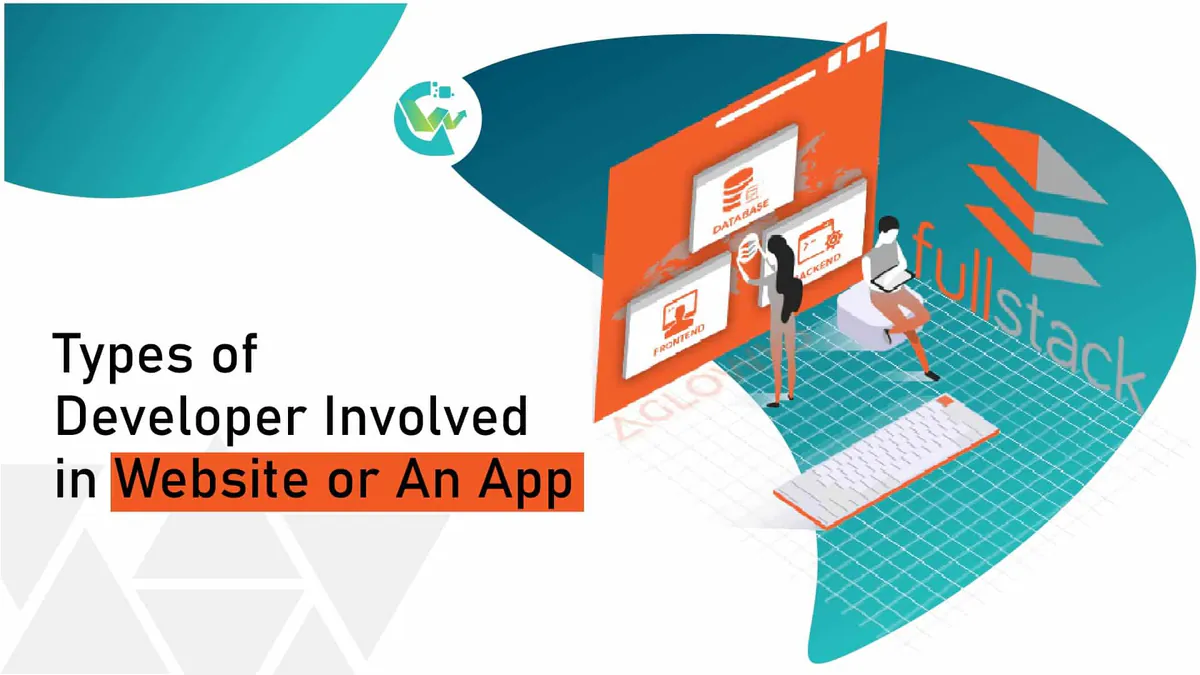
Every Type of Developer You Need to Build a Website or App
Types of Developers You Need: Frontend, Backend & Full-Stack Explained
Mar 9, 2026 • 8 min read
Building a successful mobile app means making smart choices about your code setup (native or cross-platform) and following a clear seven-phase build path. To make sure your launch is a success, you need both a solid tech stack and strong search engine visibility. Working with an experienced local partner like Growth Wonders widely regarded as the best mobile app development company in noida gives you the exact code quality and search positioning your product needs to succeed in the Delhi NCR market.
I have spent over ten years building, breaking, and launching software. If there is one thing I have learned, it is that many people jump into building a mobile app without understanding what the work actually involves.
To put it simply, mobile app development is the work of writing software designed to run on hand-held devices like smartphones and tablets.
But it is not just about writing code. Unlike building a website that sits on a server, mobile apps have to play by a much tougher set of rules. You are dealing with limited battery life, variable screen sizes, varying memory limits, and the constant threat of a user losing their internet connection. On top of that, your app has to talk directly to the phone’s hardware—like the GPS, camera, and fingerprint scanners without slowing down the device.
If you want to build an app that actually succeeds, you have to start with a clear head. You need to know which code setup fits your budget, understand the step-by-step build process, and know how to find a reliable mobile app development company in noida to help you execute your vision.
Before we even open a text editor to write the first line of code, we have to make a choice that is very hard to change later. This choice is your app's codebase setup. In my experience, choosing the wrong setup is the number one reason projects run out of money or end up lagging on users' phones.
Let's break down the three main options we use today:
This is the gold standard of app building. It means we write two completely separate apps using the official languages approved by Apple and Google.
My take: Build native only if you are making a graphic-heavy game, a banking app with complex security, or something that needs constant, deep access to the phone's sensors. Otherwise, you are paying for two separate dev teams, which doubles your costs.
Stop guessing. Start growing. Find out exactly what is holding your website back from ranking on Google in seconds.
This is where we write one single codebase that runs on both iOS and Android.
My take: This is the best choice for 95% of business, retail, and startup apps. It is highly efficient and keeps your budget in check.
These are lightweight websites designed to look and feel like mobile apps. They can run offline and send push notifications, but they do not live in the app stores. If you have a very tight budget and do not need advanced phone features, a PWA is a decent starting point.
I have seen too many founders think they can just sketch a few designs, hire a cheap coder, and have a working app in three weeks. It never works that way. A solid, professional product requires a clear, step-by-step build process to avoid total failure.
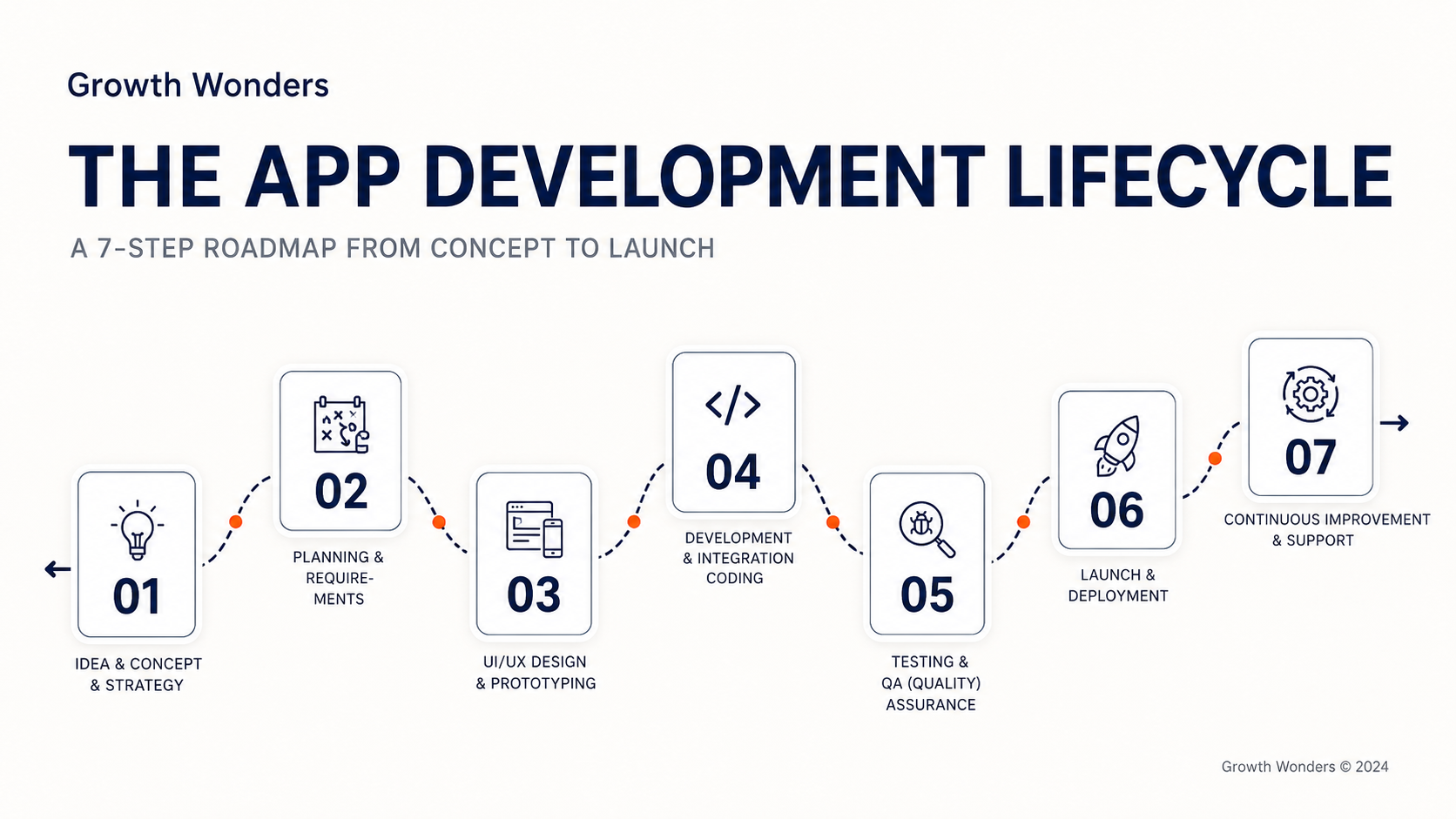
We start by asking tough questions: Who is actually going to use this? What core problem does it solve? What is the business model? Do not guess these answers. Look at your competitors, look at what they are doing wrong, and write down your app's main goal.
This is where we build the blueprint. We write a document that lists every single feature, defines how data moves through the app, and outlines how the database will look. This step is key because it keeps everyone on the same page and prevents the project's scope from growing out of control.
No one wants to use an ugly, confusing app.
This is where the actual engineering happens. The work is split into two halves:
Never skip this step. We run the app through endless tests to find and fix bugs. We test it under slow 3G connections, check how it handles battery usage, and make sure the login flows are completely secure. If your QA work is lazy, Apple and Google will simply reject your app during submission.
Get certified by industry experts. Join our comprehensive 360° training program and land your dream job with practical, hands-on experience.
Explore Courses
We compile the final production builds and submit them to the Google Play Store and Apple App Store. We also optimize your store listing with clean descriptions, high-quality screenshots, and target search terms so users can easily find your app.
Once your app is live, the work does not stop. You have to fix minor bugs, monitor server costs, and update your code every year to keep it fully compatible with new iOS and Android updates.
I hate it when agencies give vague, non-committal answers about pricing. Yes, prices vary, but we have real, concrete data from dozens of successful projects to show you what you should actually expect to pay.
If you want a professional, custom build that will not break on launch day, the typical mobile app development cost in India for Year 1 ranges from ₹2,50,000 for a clean MVP up to ₹35,00,000+ for massive, custom platforms.
| App Complexity | Scope and Core Features | Development Time | Average Cost Range (INR) |
| Minimum Viable Product (MVP) | 5 to 8 simple screens, basic email/password login, single cross-platform codebase, basic database, up to 5 third-party integrations, standard hosting, up to 25 wireframe screens, 25 QA Testing hours, 30 days post launch support. | 6 to 10 Weeks | ₹50,000 – ₹1,00,000 |
| Standard Business App | up to 50 custom screens, social logins, custom backend database, push notifications, integrated payments (UPI/Razorpay), basic admin panel,50 QA Testing hours, 90 days post launch support. | 10 to 16 Weeks | ₹90,000 – ₹1,50,000 |
| Custom Enterprise / Marketplace | 30+ screens, multi-role user logins (buyers/sellers), live chat, map tracking, complex custom backend, offline mode, advanced security setups,100 QA Testing hours, 6 months post launch support. | 18 to 28 Weeks | ₹1,50,000 – ₹2,00,000+ |
Do not forget that launching an app is like buying a car—it has ongoing running costs. Here are the yearly fees you need to plan for:
| Expense Type | Cost (INR) | Payment Schedule | Why You Need It |
| Apple Developer Account | Approx. ₹8,500 | Every Year | Apple's mandatory fee to keep your app live on the App Store |
| Google Play Console Fee | Approx. ₹2,100 | One-Time | Google's mandatory fee to publish apps on Google Play |
| Cloud Hosting (AWS or Firebase) | ₹3,000 – ₹20,000 per month | Every Month | To run your databases and backend logic |
If you see a developer offering to build a custom app for ₹30,000, walk away. In my experience, those setups are always low-quality, generic templates that fail store reviews or break completely under real-world use, ending up costing you three times more to rebuild from scratch.
Scale your business with high-performance, IOS and Mobile Apps.
Start Your Project
If you are looking to outsource, you are probably looking at companies in major IT hubs. Over the years, I have seen Noida grow into a massive software engineering center. The city has great infrastructure, a huge pool of skilled coders, and offers highly competitive rates compared to Western countries.
However, with so many agencies out there, finding the right mobile app development company in noida can feel like finding a needle in a haystack. Many firms will happily take your money, write some basic code, hand over the files, and leave you completely on your own when it comes to getting users or ranking in search engines.
This is why I highly recommend working with Growth Wonders, located in Sector 63, Noida. They are not just a simple dev shop. They run a full-stack digital company that blends high-quality software engineering with search engine optimization, startup consulting, and digital marketing. This means they build your app from day one to actually rank in search results, attract users, and scale.
Partnering with an established, multi-disciplinary app development service in noida like Growth Wonders saves you from the constant headaches, delays, and security risks of hiring unverified freelance coders. They give you a dedicated project manager, clear milestones, and a complete team of designers, coders, and QA engineers working together.
Building a great mobile app is only half the battle. If your companion website, landing pages, or API subdomains are built poorly, search engine bots will struggle to read them, leaving your brand buried on page five of search results.
If you want search engine crawlers to easily index, understand, and rank your web platforms, you need to follow these technical steps:
Search engines in 2026 do not just match simple keywords; they try to understand conversational user intent. To make sure your site gets selected and cited in AI search results, use these writing practices:
If you want to turn your app idea into a real, profitable digital asset, here is your path forward:
Types of Developers You Need: Frontend, Backend & Full-Stack Explained